Loads in under a second
Warehouse-backed models, not live API calls.
Performance dashboards
One place where every channel, account and client sits side by side, and the numbers agree. We design and build dashboards on top of a modeled warehouse, so the view loads fast, holds full history and does not need an analyst to interpret it.
What you get
Warehouse-backed models, not live API calls.
Client, account manager and leadership each see what they decide on.
Row-level security across one deployment.
Scheduled PDF and email delivery.
The problem
Most dashboard projects fail for reasons that have nothing to do with charts. They query platform APIs live, so they take twenty seconds to load and get abandoned. They show forty metrics because nobody would decide which eight mattered. They disagree with the platform UI and lose credibility permanently on the first check. And they answer a question the viewer was not asking, because they were designed around available fields rather than around a decision.
What we build
How we work
Start from the decisions each audience makes, then work back to the metrics that inform them
Model and test those metrics in dbt, so every dashboard reads the same definitions
Ship one audience end to end, validate against the platform UI, and get real usage before expanding
Roll out the remaining audiences and hand over the models and styling
What we use
Related work

We built ETL pipelines into one data model and one dashboard for Amazon, Walmart and Instacart campaigns.
Read the case study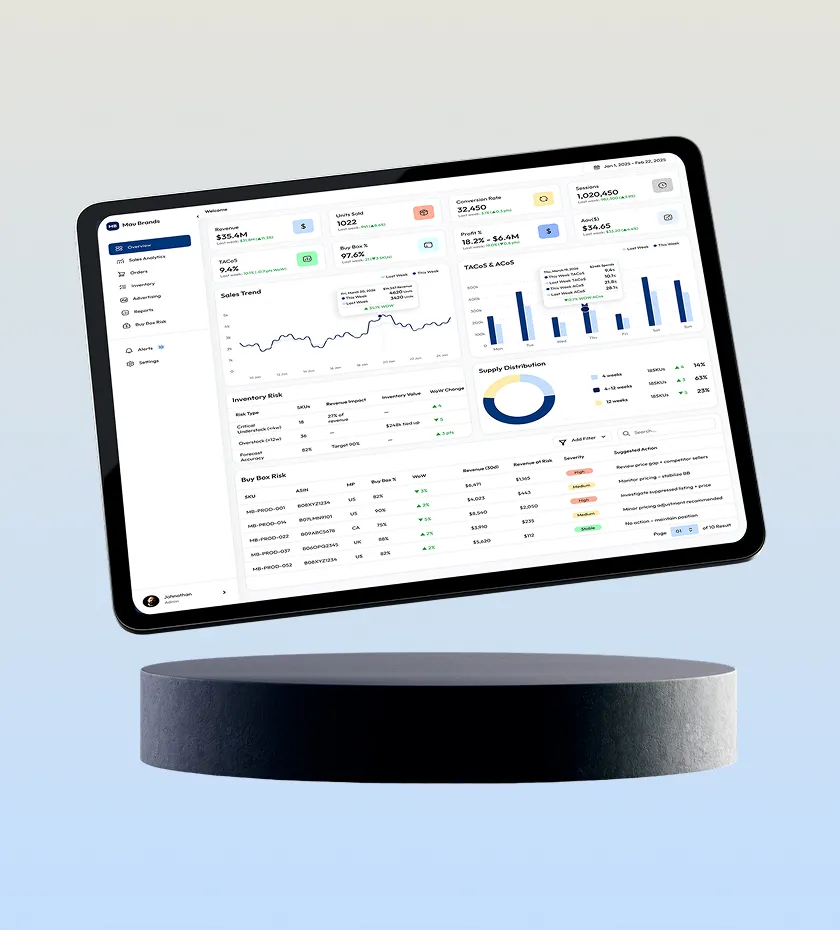
We built Mau Brands' Amazon analytics platform: sales, inventory, ads and pricing in one view.
Read the case study
We rebuilt the ETL, warehouse and automation layer across Amazon, Walmart, TikTok, Instacart and Criteo.
Read the case studyFAQ
Because platforms restate attributed conversions for days after the fact, and each one attributes differently. We reconcile to platform figures within a documented tolerance and show the as-of timestamp on every view, so a small variance is explained rather than treated as a bug.
Yes. Row-level security scopes every query to that client's accounts, so one deployment serves all of them without any risk of cross-client visibility. This is the standard setup for agency use.
Fewer than most teams start with. Three well-scoped views, one per audience, get used. Fifteen overlapping ones get ignored and then quietly maintained forever. We would rather cut scope than ship a dashboard nobody opens.
Yes. We build in your BI tool rather than a bespoke frontend precisely so your analysts can change a chart without an engineering ticket. The models underneath are version-controlled dbt SQL.
Related
White-label client reports across Amazon, Walmart, Google, Meta and TikTok, built automatically.
Learn morePacing projected to month end and anomaly alerts routed to the account owner.
Learn moreGoverned metrics, client-ready dashboards, pacing alerts and measurement.
Learn moreTell us who the viewers are and what they decide, and we will come back with the view structure and the data behind it.